Want to turn a light on from your phone? In this beginner project, an ESP32 controls a low-voltage LED circuit using Wi-Fi or Bluetooth. You will learn how smart-home systems work without touching dangerous household wiring.

What you will build
- A small local Wi-Fi webpage with ON and OFF controls
- An optional Bluetooth Low Energy command interface
- A relay-controlled low-voltage LED or a direct LED proof-of-concept
- A foundation you can extend with sensors or schedules
Safety: These are educational low-voltage projects. Do not connect household mains wiring, exposed live terminals, or high-power appliances. Disconnect power before changing wires. Projects are examples to verify on your own hardware.
Parts
- Original ESP32-WROOM-32 development board (not ESP8266)
- USB cable, breadboard and jumper wires
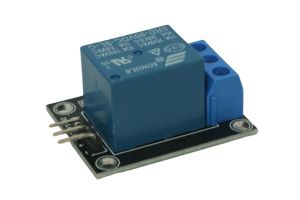
- 3.3 V-compatible relay module with suitable external low-voltage supply, or use the onboard LED to test first
- Low-voltage LED/load and properly rated resistor or driver
- A phone on the same 2.4 GHz Wi-Fi network as the ESP32
Some relay boards require 5 V logic or draw too much current for an ESP32 GPIO. Check the board’s specifications and use a transistor driver/isolated supply as necessary. Never power a relay coil directly from GPIO.
Wiring for the simplest test
- ESP32 GPIO 23 → LED resistor → LED anode
- LED cathode → ESP32 GND
- For a compatible relay board, GPIO 23 → relay IN and share the correct logic ground; power the relay from its rated supply
- Relay contacts should switch only a properly fused, isolated, low-voltage circuit
The sample assumes an active-HIGH LED or driver. If your relay is active-LOW, reverse the output logic and verify that it stays off while booting.
Install the Arduino IDE
In Arduino IDE, install esp32 by Espressif Systems from Boards Manager, choose your ESP32 board and serial port, and upload the sketch below. Replace the sample Wi-Fi credentials with your network.
Complete Wi-Fi example
#include <WiFi.h>
#include <WebServer.h>
const char* ssid = "YOUR_WIFI_NAME";
const char* password = "YOUR_WIFI_PASSWORD";
const int OUTPUT_PIN = 23;
WebServer server(80);
void setOutput(bool on) { digitalWrite(OUTPUT_PIN, on ? HIGH : LOW); }
void setup() {
  pinMode(OUTPUT_PIN, OUTPUT); setOutput(false);
  Serial.begin(115200);
  WiFi.begin(ssid, password);
  while (WiFi.status() != WL_CONNECTED) { delay(500); Serial.print("."); }
  Serial.println(WiFi.localIP());
  server.on("/", [](){ server.send(200, "text/html",
    "<h2>ESP32 Smart Switch</h2><a href='/on'>ON</a> | <a href='/off'>OFF</a>"); });
  server.on("/on", [](){ setOutput(true); server.sendHeader("Location","/"); server.send(303); });
  server.on("/off", [](){ setOutput(false); server.sendHeader("Location","/"); server.send(303); });
  server.begin();
}
void loop() { server.handleClient(); }
Test your smart switch
- Open Serial Monitor at 115200 baud and note the printed IP address.
- Connect your phone to the same Wi-Fi network.
- Enter http://DEVICE_IP/ in your phone browser (replace DEVICE_IP).
- Tap ON and OFF; confirm the LED or low-voltage driver changes state.
Security: This example is an unauthenticated local-network demo. Never expose port 80 to the public internet. Add authentication and TLS through an appropriate architecture before deploying beyond a trusted test network.
How Bluetooth fits in
The ESP32 can also expose a BLE writable characteristic for commands such as ON and OFF. Use an ESP32 BLE UART example and make its write callback call the same setOutput() function. For a complete Nordic UART Service setup, follow our BLE firmware guide; use RX characteristic 6E400002 and TX 6E400003 under service 6E400001 (full 128-bit UUIDs). This Wi-Fi sketch alone does not advertise Bluetooth.
Control the project from your phone
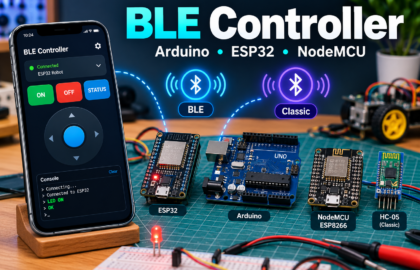
Try BLE Controller by CircuitMagic for custom Bluetooth buttons and a serial console. Download for iPhone/iPad or download for Android. On iPhone, use BLE firmware (not HC-05/HC-06 Classic SPP). On Android, BLE and supported Classic serial devices are available. Match the commands and UUIDs in your firmware to the app.
Also read our BLE Controller Arduino and ESP32 setup guide.
Common problems
- No Wi-Fi connection? Check 2.4 GHz network and credentials.
- Web page not loading? Check phone and ESP32 are on the same LAN; guest Wi-Fi may block local devices.
- Relay operates backwards? Your board may be active-LOW.
- ESP32 resets? Use adequate power and avoid powering coils from GPIO.
- Bluetooth scan empty? The sample code is Wi-Fi only; add BLE firmware before scanning.
What to build next
Add a temperature sensor, local timer, or multiple low-voltage outputs. Start simple, verify each feature, and only then combine them. Have questions? Share your board model and wiring in the comments.