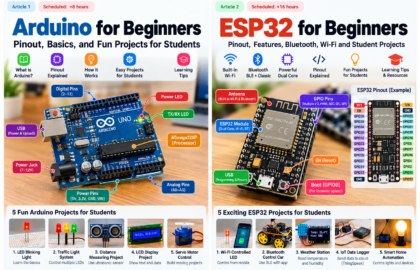
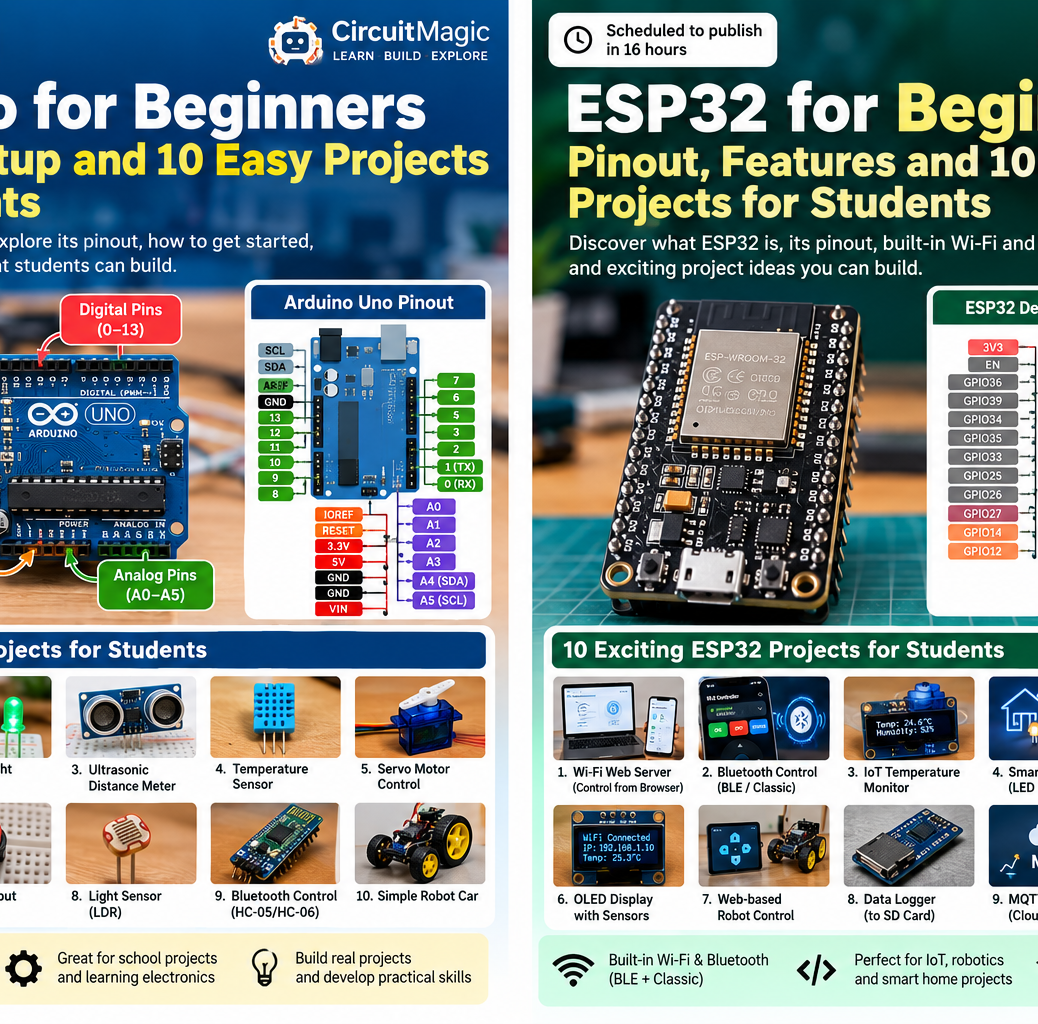
ESP32 is a powerful and affordable family of microcontrollers for students who want to build wireless electronics, robotics and Internet of Things (IoT) projects. This guide focuses on the common original ESP32-WROOM-32 development board; ESP32-C3, S3 and other variants have different pins and capabilities.
What is an ESP32?
ESP32 microcontrollers can run your code, read sensors, drive outputs and communicate over wireless networks. The original dual-core ESP32 generally operates at up to 240 MHz and includes 2.4 GHz Wi-Fi and Bluetooth (Classic and BLE). It is popular in smart homes, robotics, data loggers and connected classrooms.
ESP32 vs Arduino Uno
- ESP32: 3.3V GPIO, built-in Wi-Fi/Bluetooth, faster processing, multitasking, ADC and PWM support; many GPIO pins have special functions.
- Uno Rev3: 5V GPIO, simpler layout and 16 MHz ATmega328P; no built-in Bluetooth or Wi-Fi.
- Choose an Uno for introductory breadboard activities, or an ESP32 for wireless/IoT projects and more capable sensor systems.
ESP32 development-board components
- ESP32-WROOM-32 module: processor, wireless radio and antenna.
- USB connector, USB-to-serial interface, voltage regulator and usually EN/RESET and BOOT buttons.
- 3V3, GND and VIN/5V power pins, with pin availability depending on the board manufacturer.
- Many exposed GPIO pins with digital input/output, ADC, PWM, UART, I2C and SPI capabilities.
- Some ESP32 boards include an onboard LED, but its GPIO varies—or it may be absent.
Understanding the original ESP32 pinout
GPIO and digital I/O
Commonly available GPIOs include 2, 4, 5, 12–19, 21–23, 25–27, 32 and 33, but exact exposure depends on the board. GPIO34–39 are input-only, so they cannot directly drive LEDs. GPIO6–11 are normally connected to flash memory and should not be used as general pins on typical WROOM boards.
ADC, DAC and PWM
ADC inputs are used for analog sensors. ADC1 GPIO32–39 is generally the easiest choice while Wi-Fi is active; ADC2 is shared with Wi-Fi on the original ESP32 and can conflict. Original ESP32 has two DAC outputs on GPIO25 and GPIO26. PWM can be routed to many output-capable GPIOs using the LEDC peripheral.
I2C, SPI and UART
Default Arduino-ESP32 I2C pins on many original ESP32 dev boards are GPIO21 (SDA) and GPIO22 (SCL). Common VSPI signals are GPIO23 (MOSI), GPIO19 (MISO), GPIO18 (SCK), GPIO5 (CS), but pins may be remapped. GPIO1 TX0 and GPIO3 RX0 are commonly used for USB serial logging/programming.
Pins to be careful with
GPIO0, 2, 4, 5, 12 and 15 participate in boot strapping on the original ESP32. External circuits attached to these may prevent booting or uploading. Also avoid pulling too much current from GPIO pins. ESP32 GPIO is 3.3V, not 5V tolerant. Never assume pin placement matches an arbitrary online diagram—refer to your exact board’s schematic.
How to program ESP32 using Arduino IDE
- Install Arduino IDE.
- In File → Preferences, add Espressif’s board manager URL:
https://espressif.github.io/arduino-esp32/package_esp32_index.json. - Open Boards Manager, install esp32 by Espressif Systems.
- Select the exact ESP32 board or a suitable ESP32 Dev Module profile, connect via USB and choose its serial port.
- Upload a starter sketch. Some boards require holding BOOT briefly during flashing.
First ESP32 project: blink an LED
Connect an LED through a 220–330Ω resistor from GPIO23 to GND (long leg toward GPIO23 through the resistor), or use an appropriately wired external LED. GPIO23 is just an example for common original ESP32 boards.
const int LED_PIN = 23;
void setup() {
  pinMode(LED_PIN, OUTPUT);
}
void loop() {
  digitalWrite(LED_PIN, HIGH);
  delay(500);
  digitalWrite(LED_PIN, LOW);
  delay(500);
}
Second project: control an LED from a Wi-Fi web page
On an original ESP32, connect the same LED to GPIO23 and use the sketch below. Replace the placeholder network details with your 2.4 GHz Wi-Fi credentials. The web page will show ON and OFF links on your local network. This is a learning example without authentication, so use only on a trusted local network.
#include <WiFi.h>
#include <WebServer.h>
const char* ssid = "YOUR_WIFI_NAME";
const char* password = "YOUR_WIFI_PASSWORD";
const int LED_PIN = 23;
WebServer server(80);
void page() {
  String html = "<h2>ESP32 LED Control</h2><p><a href='/on'>ON</a> | <a href='/off'>OFF</a></p>";
  html += digitalRead(LED_PIN) ? "<p>LED ON</p>" : "<p>LED OFF</p>";
  server.send(200, "text/html", html);
}
void setup() {
  pinMode(LED_PIN, OUTPUT);
  Serial.begin(115200);
  WiFi.begin(ssid, password);
  while (WiFi.status() != WL_CONNECTED) delay(500);
  Serial.print("Open http://");
  Serial.println(WiFi.localIP());
  server.on("/", page);
  server.on("/on", [](){ digitalWrite(LED_PIN, HIGH); page(); });
  server.on("/off", [](){ digitalWrite(LED_PIN, LOW); page(); });
  server.begin();
}
void loop() {
  server.handleClient();
}
Open the IP address printed in Serial Monitor at 115200 baud using a browser on the same network. This introduces client/server communication, networking and HTTP.
10 ESP32 student projects
- Wi-Fi LED controller: switch an LED from your browser.
- BLE-controlled car: use a Bluetooth app, robot chassis and motor driver, with a separate motor supply.
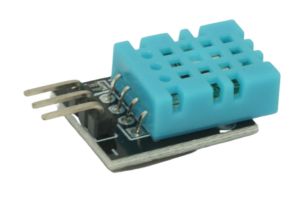
- Weather station: show sensor temperature/humidity on an OLED or local dashboard.
- Smart home lighting demo: control low-voltage lamps with safe drivers; avoid mains voltage in school projects.
- Wi-Fi dashboard: show real-time sensor readings on a mobile-friendly web page.
- IoT data logger: save timestamped sensor data to a microSD card or a cloud endpoint.
- Motion detector: trigger notifications or a buzzer with a PIR sensor.
- Soil-moisture plant monitor: monitor plants with a capacitive probe and send readings over Wi-Fi.
- Obstacle-avoiding robot: use motor control, distance sensing and automatic steering.
- ESP32-CAM or compatible camera-board experiment: stream camera frames over a local network; note camera pins and setup differ from standard WROOM boards.
Bluetooth project: connect ESP32 to BLE Controller
The CircuitMagic BLE Controller app guide includes a working BLE UART-style sketch and a Classic SPP example for the original ESP32. The app supports BLE on Android/iOS and Classic SPP on Android. ESP32-S3 and ESP32-C3 do not support Bluetooth Classic SPP. App links: Google Play and Apple App Store.
Project-building tips and electrical safety
- Start by testing each sensor or actuator independently before connecting several components.
- Check the physical pinout and power requirements for your specific ESP32 board.
- Never connect 5V directly to a 3.3V ESP32 GPIO; level-shift when necessary.
- Do not drive motors, pumps or relays directly from a GPIO pin; use driver hardware.
- Avoid sharing sensitive network credentials in public code repositories.
- For a science-fair demo, explain the circuit, software, wireless communication and results.
Where to learn more
Read the Arduino-ESP32 documentation from Espressif and our Bluetooth remote control tutorial. Which ESP32 project would you like us to explain step by step next?