Want to try a small electronics project without complicated circuits? In this beginner tutorial, we’ll build measure distance using arduino and hc-sr04 ultrasonic sensor. You’ll connect one sensor, upload a short Arduino IDE sketch, and see the result. No Wi-Fi account or cloud service is required.
What does it do?
The HC-SR04 sends a short ultrasonic pulse and measures how long the echo takes to return. Dividing the travel time by two gives the one-way distance.
Parts you’ll need
Arduino Uno, HC-SR04 ultrasonic sensor, jumper wires, USB cable. You will also need a computer with the free Arduino IDE installed.
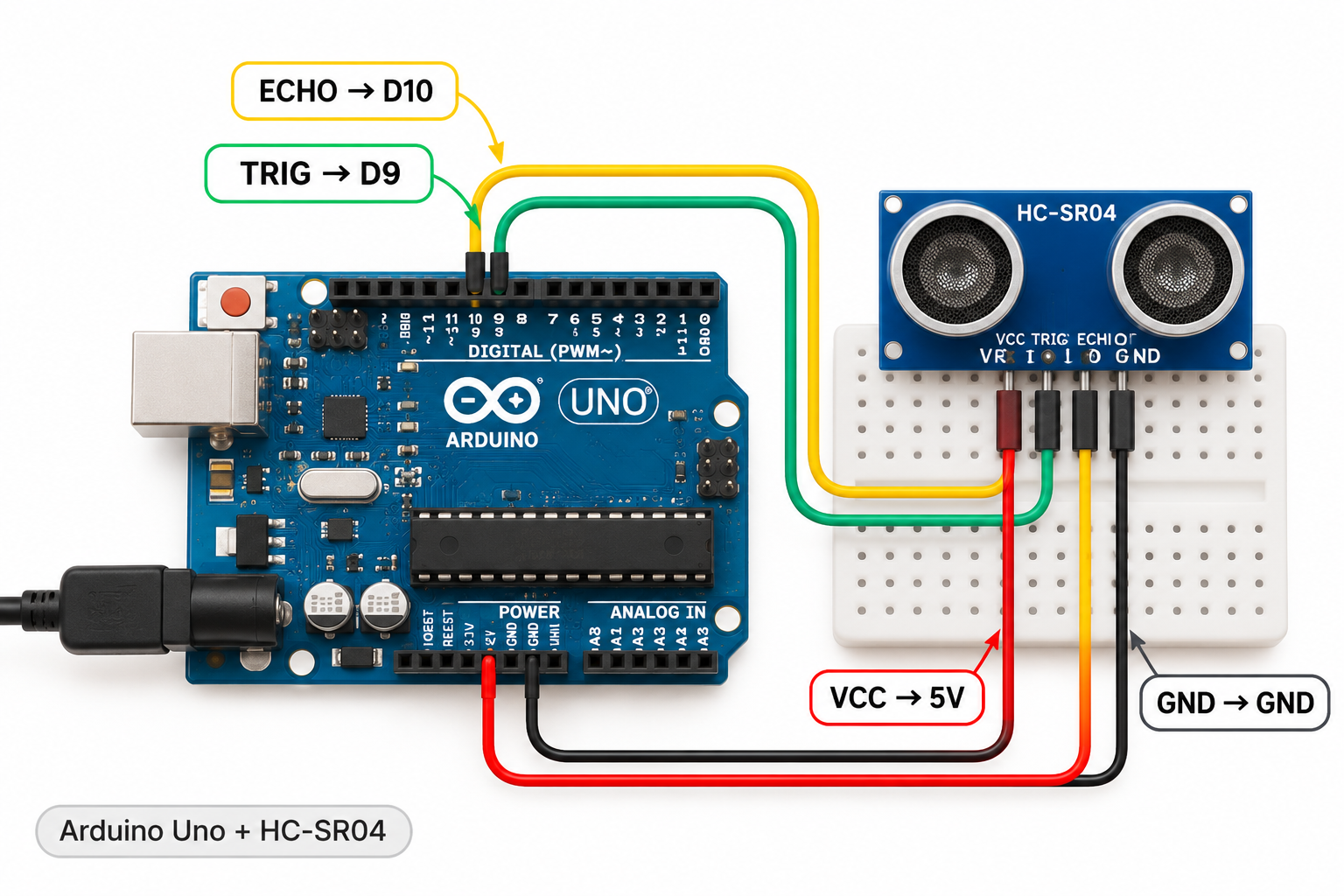
Wiring connections
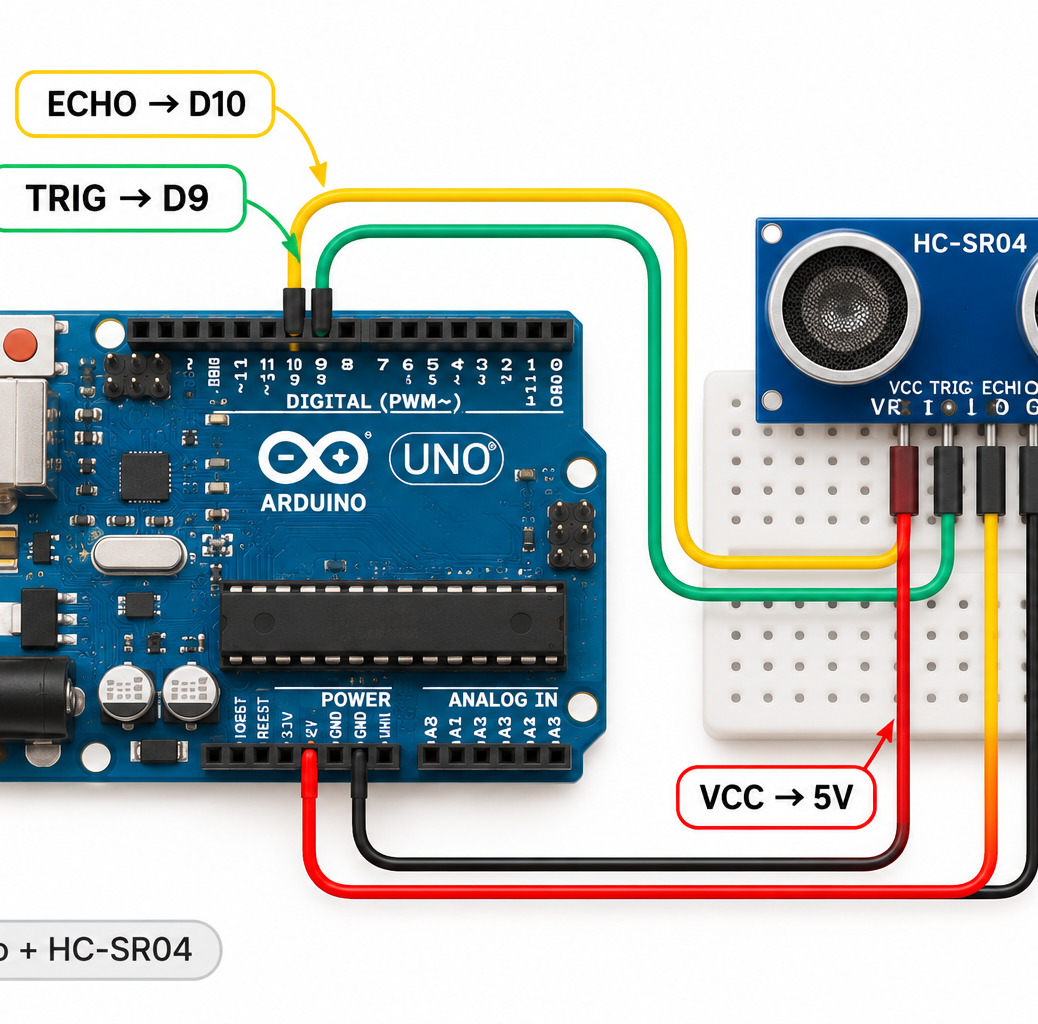
Disconnect USB power before moving any wires. Make these connections carefully:
| Sensor / component pin | Connect to |
|---|---|
| VCC | 5V |
| GND | GND |
| TRIG | D9 |
| ECHO | D10 |
Important: ESP32 GPIO pins work at 3.3V. Do not connect a 5V output directly to an ESP32 input. Board and sensor-module pin labels vary, so double-check the markings on your hardware.
Arduino IDE code
Select the correct board and USB port in Arduino IDE, paste the complete sketch below, and click Upload.
const int trigPin = 9;
const int echoPin = 10;
void setup() {
  Serial.begin(9600);
  pinMode(trigPin, OUTPUT);
  pinMode(echoPin, INPUT);
}
void loop() {
  digitalWrite(trigPin, LOW);
  delayMicroseconds(2);
  digitalWrite(trigPin, HIGH);
  delayMicroseconds(10);
  digitalWrite(trigPin, LOW);
  long duration = pulseIn(echoPin, HIGH, 30000);
  if (duration == 0) Serial.println("No echo detected");
  else {
    float distanceCm = duration * 0.0343 / 2.0;
    Serial.print("Distance: ");
    Serial.print(distanceCm, 1);
    Serial.println(" cm");
  }
  delay(500);
}
Expected result
Distance: 25.4 cm Open Tools → Serial Monitor and set the baud rate shown in Serial.begin() in the sketch.
Troubleshooting
Keep a flat object about 10–100 cm in front of the sensor. If you see ‘No echo detected’, check TRIG/ECHO wiring and common ground.
If nothing appears, first check the USB cable, correct board and port, sensor power and ground, and the Serial Monitor baud rate. Recheck every wire against the connection table before changing code.
What to try next
Once this simple example works, try changing the measurement interval or using the sensor reading to control an LED. This is an easy way to learn inputs, outputs, and basic programming.
For more hands-on electronics tutorials, explore CircuitMagic. If you later want to control Arduino or ESP32 projects from a phone over Bluetooth, see our BLE Controller app tutorial. This project itself does not need Bluetooth.